One-Way or Two-Way Warehouse Aisles? The Picker Travel Trade-Off

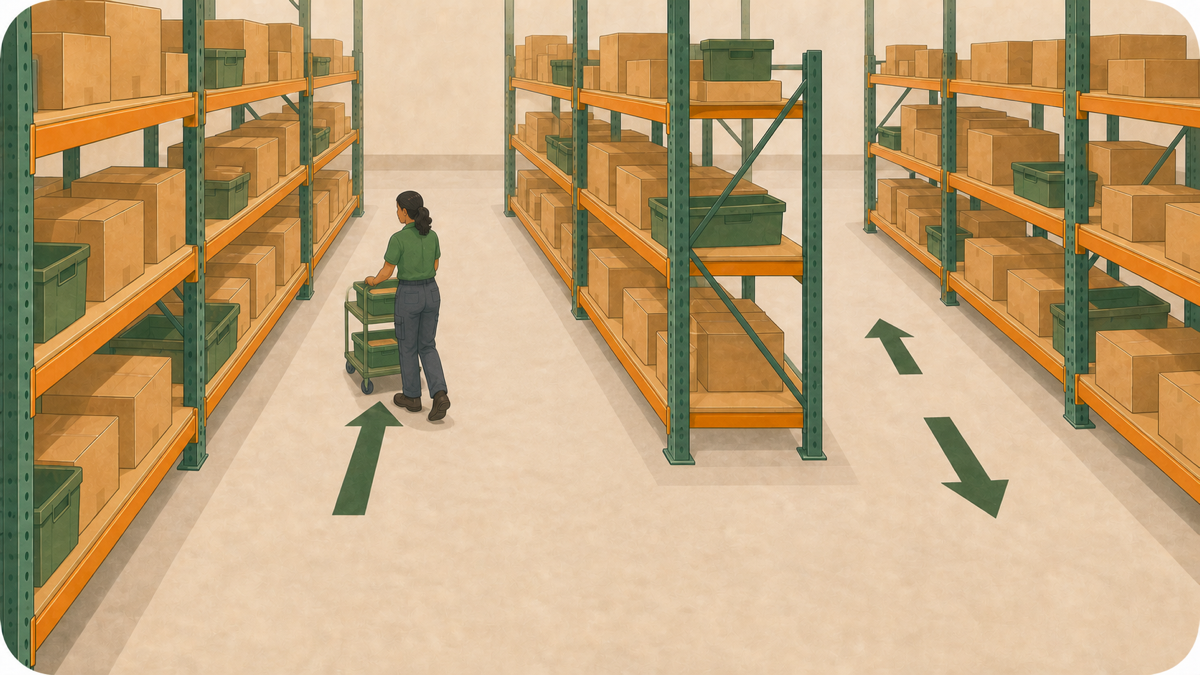
The next item is on a shelf a few steps behind the picker. Turning around would be quick, but the aisle is one-way. The picker continues to the cross-aisle, loops around the rack, and comes back to the shelf from the other end. When the same detour appears across many pick trips, the warehouse manager begins to wonder whether the aisle should still be one-way.
Removing the rule may shorten some routes, but pickers or vehicles can then meet while travelling in opposite directions. Keeping it avoids that change but leaves the detours in place. The real question is which rule works best in each aisle.
Remember why the rule was introduced
Warehouses often make an aisle one-way because it is narrow, lift trucks use it, or drivers cannot see clearly around a corner. Sending traffic in one direction can reduce head-on encounters and make the flow easier to follow.
Before changing the rule, find out why it exists. If it controls lift-truck traffic or movement through a tight area, a shorter walking route may not be enough reason to remove it. If the aisle is wide, used only by pickers, and rarely busy, the rule may simply be adding a detour.
Find where the direction creates a detour
How much extra walking the rule creates depends on where the picker starts, which shelves the order visits, and where the picker can change aisles. For one order, a nearby pick may require a loop because it lies behind the picker. For another, every pick may already lie in the direction the picker is travelling.
The position of the cross-aisles determines where a picker can turn into the next row. The earlier article on whether another cross-aisle would reduce picking travel looks at changing the layout. Here, the question is whether changing the travel rule is enough.
Compare the direction rules with the same orders
SolvingMaze Warehouse Layout Simulation lets you mark a path as one-way or open in both directions. It uses the warehouse layout, item locations, and historical orders to calculate routes and total travel distance.
To compare the two setups:
- Model the current racks, aisles, pick start and return points, item locations, and direction rules.
- Run historical orders from a representative operating period and save the current result.
- Copy the layout and change only the aisle directions you want to test. Keep the racks, item locations, and orders the same.
- Run the orders again, then compare the routes and total travel distance with the current setup.
You may not need one rule for the whole warehouse. Some aisles may need one-way traffic while others can remain open in both directions.
Watch what happens during a normal shift
The route numbers tell only part of the story. Watch where pickers wait, meet someone coming the other way, struggle to pass, turn around, or ignore an aisle arrow. Those moments show whether the current rule helps the work or gets in its way.
Then check the practical constraints. Do pickers share the aisle with lift trucks? Can people see clearly at the junction? Is there enough room to pass or turn? If a different direction still looks better, update the floor markings, signs, and instructions before people use it.
The best answer may be a mix
One-way aisles can keep traffic orderly. Two-way aisles can save a picker from walking to the end of the aisle and looping back to a nearby shelf. Historical orders show where a direction rule adds walking. Watching a normal shift shows what happens when people and equipment meet. A warehouse may need both.
Want to see how direction rules change a route? Create a free Sandbox Warehouse and try Warehouse Layout Simulation with a small example. When you are ready to compare your own warehouse and historical orders, set up a Production Warehouse.
 Previous Article