Barcode Scanning and Pick-to-Box in Online Batch Pick

SolvingMaze online Batch Pick now supports barcode scanning and pick-to-box workflows. These updates are designed for warehouses that want the speed of optimized batch picking, while still keeping item verification and order separation close to the point of pick.
Batch picking is efficient because one picker can collect items for multiple orders in a single trip through the warehouse. The trade-off is that the picker needs a reliable way to confirm the right item and keep each order separated as items move from shelf to cart to packing. Barcode scanning and pick-to-box help close that gap.
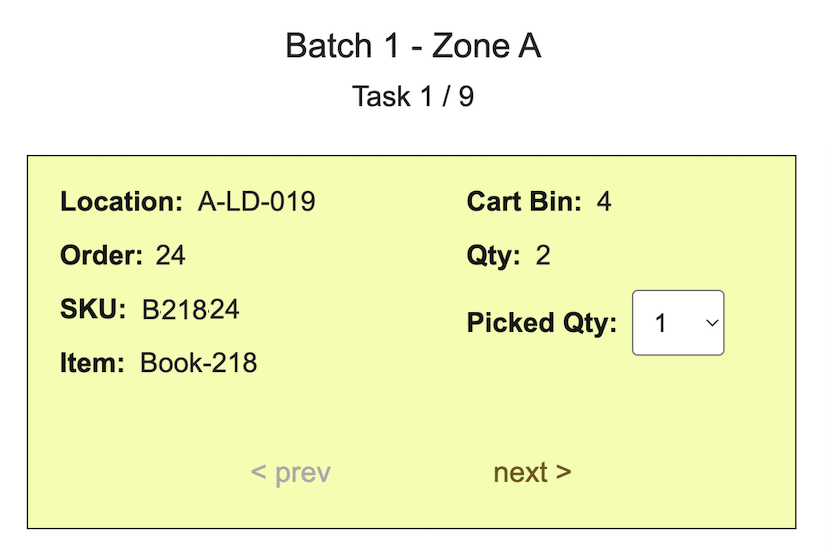
Barcode scanning for pick confirmation
The online picker can use barcode data to confirm the item being picked before the task is completed. Instead of relying only on visual SKU checks, the picker can scan the product barcode and compare it with the expected task data. This is especially useful when products have similar names, packaging, colors, or locations.
For API workflows, item data can include barcode and barcode type fields in the Batch Pick API. Keeping that data available gives the online picking workflow a stronger item identity check without changing the basic batch optimization process.
Pick-to-box for earlier order separation
Pick-to-box helps the picker place items into the right destination while the pick is happening. Instead of collecting everything together and sorting later at the packing station, the task can direct the picker to a cart bin, tote, or box assignment as part of the online pick flow.
This matters because downstream packing work often slows down when a batch arrives with mixed items that still need to be separated by order or package. Moving that sorting decision earlier can reduce rework, make packing lists easier to follow, and help teams keep packed orders organized.
How it fits with Batch Pick
The core Batch Pick workflow still starts with warehouse layout, item locations, and a list of orders. SolvingMaze groups orders into batches and creates a pick sequence to reduce walking distance. The new scan and pick-to-box steps add operational control while the picker works through the route.
- Use batch optimization to reduce picker travel.
- Use barcode scanning to confirm the item at the shelf.
- Use pick-to-box assignments to keep items separated before packing.
- Use online pick progress to reduce paper handling and manual reconciliation.
For teams already using SolvingMaze for packing, the workflow can also align picking work more closely with the packaging decisions made during fulfillment. That makes the handoff from picking to packing cleaner, especially when one order may involve multiple packages.
If you want to test the updated workflow, start from the Batch Pick API and online picker overview.
Ready to try SolvingMaze? Create Free Sandbox Warehouse and test packing and quoting, batch picking, and layout simulation before production.
 Previous Article